
Blog
windows not activated how to solve it
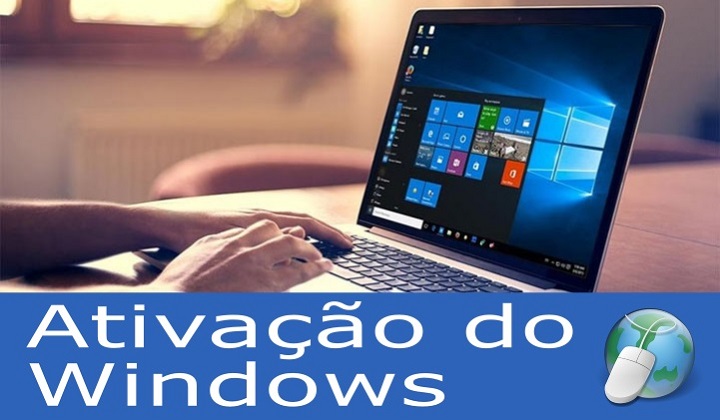
How to Fix the "Windows Not Activated" Issue
If you’re seeing the “Windows Not Activated” message on your computer, don’t worry. This is a common issue that can be resolved with a few simple steps. In this article, we’ll explain what this notification means and how you can effectively activate your Windows.
What does "Windows Not Activated" mean?
The "Windows Not Activated" message indicates that your copy of the operating system has not been activated correctly. This can occur for various reasons, such as installing a pirated version of Windows, issues with the activation key, or connection failures with Microsoft’s servers. Regardless of the cause, it’s important to resolve this issue to ensure the security and functionality of your system.
Step-by-Step Guide to Resolving the Issue
1. Check the Product Key
First, confirm that you have a valid product key. This key is required to activate Windows. If you purchased it, it should be on the product packaging or in a confirmation email.
2. Access Activation Settings
Click the Start menu.
Select Settings (gear icon).
Go to Update & Security.
Select Activation.
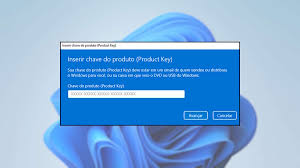
3. Enter the Product Key
In the activation section, you’ll see the option to enter the product key. Click Change product key and enter the valid key. After entering it, click Next and follow the on-screen instructions.
4. Activation by Phone
If online activation doesn’t work, you can activate Windows by phone. In the same activation section, select the phone activation option and follow the instructions provided.
5. Check Your Internet Connection
Make sure your computer is connected to the internet. An unstable connection may prevent Windows from activating.
6. Run the Troubleshooter
If you still can’t activate Windows, use the troubleshooter:
Go to Settings.
Select Update & Security.
Click Troubleshoot.
Select Activation and follow the instructions.
Frequently Asked Questions
1. What happens if I don’t activate Windows?
If Windows isn’t activated, you’ll have limited access to some features and will see constant notifications to activate the system.
2. Can I use Windows without activating it?
Yes, you can use Windows without activating it, but with limitations. Some customizations and updates may be restricted.
3. Is it safe to use a pirated version of Windows?
It is not safe. Aside from legal issues, pirated versions may contain malware and do not receive security updates.
Conclusion
Resolving the "Windows not activated" issue is essential to ensure your operating system functions properly and remains protected. Follow the step-by-step guide provided, and if you still encounter difficulties, consider contacting Microsoft Support for further assistance. Remember: keeping your Windows activated not only improves your user experience but also ensures your computer’s security.
Purchase an original license at: https://casadosoftware.com.br
Related content
View all
Want to buy a genuine license with automatic delivery?
Check our products and activate in minutes.