
Blog
Windows activated but asking for activation again
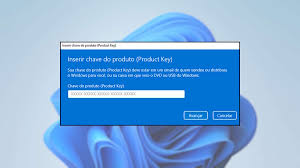
Windows Is Activated But Keeps Asking for Activation: How to Fix It
If you’ve ever found yourself in a situation where Windows is activated but suddenly starts displaying messages asking for activation again, know that you’re not alone. This problem is more common than it seems and can be caused by several factors. In this article, we’ll explore the reasons why this happens and provide a step-by-step guide to effectively resolve the issue.
Why Might Windows Ask for Activation Again?
There are several reasons why Windows, even when activated, may ask for activation again. Some of the most common causes include:
Hardware Changes: Replacing the motherboard or other components can cause Windows to fail to recognize the activation.
Licensing Issues: If you’re using a product key that isn’t valid or has been used on another device, activation may fail.
System Updates: Some updates may cause conflicts with Windows activation.
Malware: Virus or malware infections can interfere with system activation.
Step-by-Step Guide to Resolving the Issue
To resolve the Windows activation issue, follow the steps below:
1. Check the Product Key
Confirm that you are using a valid product key. You can verify this by going to:
Settings
Update & Security
Activation
2. Run the Activation Troubleshooter
Windows has a troubleshooting tool that can help resolve activation issues:
Go to Settings
Update & Security
Activation
Click "Troubleshoot"
3. Restart Windows
Sometimes, a simple restart can resolve temporary issues. Restart your computer and see if the activation message persists.
4. Check for System Updates
Make sure Windows is up to date. Go to:
Settings
Update & Security
Check for updates
5. Restore the System
If the problem started recently, consider restoring your system to a point before the problem began:
Type "System Restore" in the search bar.
Follow the instructions to choose a restore point.
Frequently Asked Questions
What should I do if none of the solutions work?
If none of the solutions above resolve the issue, consider contacting Microsoft Support for further assistance.
Can I use Windows without activation?
Yes, but with some limitations. Unactivated Windows may have restrictions on customization and display activation messages.
Is it safe to use third-party activation keys?
It is not recommended, as these keys are often illegal and can result in security or functionality issues.
Conclusion
Receiving an activation message in Windows, even when it’s already activated, can be frustrating. However, by following the step-by-step guide mentioned above, you can resolve most activation issues. Always remember to use legitimate product keys and keep your system up to date to avoid conflicts. If the problem persists, don’t hesitate to seek professional help.
Purchase an original license at: https://casadosoftware.com.br
Related content
View all
Want to buy a genuine license with automatic delivery?
Check our products and activate in minutes.