
Blog
error 0xC004F074 windows how to solve
Error 0xC004F074 in Windows: How to Fix It Effectively
Error 0xC004F074 is a common issue that can occur on Windows operating systems, especially during the Windows activation process. This error usually indicates that the computer was unable to connect to the Microsoft activation server. In this article, we’ll explore the causes of this error and provide a detailed step-by-step guide on how to resolve it.
Causes of Error 0xC004F074
Before we begin troubleshooting the issue, it’s important to understand some of the most common causes of error 0xC004F074:
Internet connection issues.
Invalid or unrecognized product key.
Windows activation services are stopped.
Firewall or antivirus settings blocking activation.
Step-by-Step Guide to Resolving Error 0xC004F074
Now, let’s follow a step-by-step guide to resolve this error.
1. Check Your Internet Connection
Make sure your computer is connected to the internet. Try accessing a website in your browser to confirm.
2. Run the Activation Troubleshooter
Open Windows Settings.
Go to Update & Security.
Click Activation.
Select Troubleshoot and follow the on-screen instructions.
3. Restart Windows Licensing Services
Open Command Prompt as an administrator and run the following commands:
Type net stop sppsvc and press Enter.
Then, type net start sppsvc and press Enter.
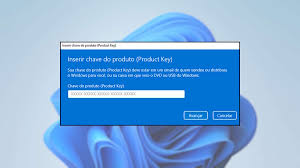
4. Verify the Product Key
Make sure the product key you entered is valid. You can change it by going to:
Settings > Update & Security > Activation.
Click Change product key and enter a valid key.
5. Temporarily Disable the Firewall
Temporarily disable your firewall or antivirus software and try activating Windows again. Remember to re-enable them after testing.
Frequently Asked Questions About Error 0xC004F074
What does error 0xC004F074 mean?
This error indicates that Windows was unable to connect to the activation server, usually due to network issues or an invalid product key.
Can I fix the error without technical support?
Yes, most users can resolve error 0xC004F074 by following the steps described in this article.
What should I do if the error persists?
If the error continues even after following the steps, consider contacting Microsoft Support for further assistance.
Conclusion
Error 0xC004F074 can be frustrating, but with the right steps, you can resolve it efficiently. Check your internet connection, use the troubleshooter, and verify the validity of your product key. If you have any questions, contact Microsoft Support. We hope this guide has been helpful to you!
Buy an original license at: https://casadosoftware.com.br
Related content
View all
Want to buy a genuine license with automatic delivery?
Check our products and activate in minutes.